Available — Immediate joiner · Remote / Hybrid
Hi, I'm Arun Sharma
I'm a |
Full Stack Developer & AI Innovation Leader with 10+ years building scalable MERN, AI and Web3 platforms. I've led 8+ member teams and shipped high-traffic products serving 5M+ monthly users at 99.9% uptime.
arun@arunsharma.co — zsh
live
$
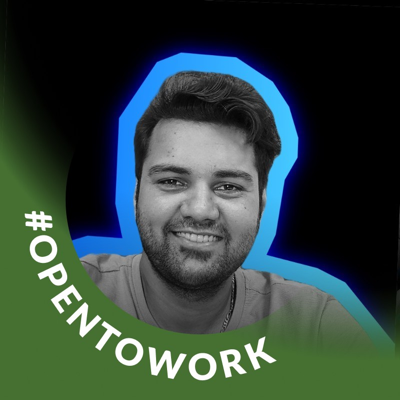
#OpenToWork
10+ yrs
8+ team led
5M+ users
A bit about me
I'm a results-driven Full Stack Developer and AI/ML Engineering Lead with 10+ years leading cross-functional teams and delivering scalable, high-performance web and AI-powered applications. I've managed 8+ member teams, driven technical architecture decisions, and maintained 99.9% uptime for platforms serving 5M+ monthly users.
My toolkit spans the MERN/MEAN stacks, Python, Web3/Blockchain, DevOps and cloud (AWS, GCP), plus LangChain/LLM integration and generative AI pipelines. I'm passionate about AI automation, RAG systems, multi-agent workflows and MCP server development to accelerate real business outcomes.
- Technical leadership & team mentoring
- Gen AI, RAG & multi-agent systems
- Web3, smart contracts & DeFi
- DevOps, microservices & cloud at scale
Recent Role
Full Stack Developer @ AMBCrypto
Experience
10+ years across web, AI & Web3
Education
MCA — IGNOU · GNIIT — NIIT
Based in
New Delhi, India · Remote / Hybrid
Tools I build with
A snapshot of the technologies I use across the stack.
Backend
AI & ML
Web3 & Blockchain
Databases
DevOps & Cloud
Mobile
Project Management
Career timeline
Oct 2025 — Dec 2025
Full Stack Developer
AMBCrypto · Remote
Spearheaded end-to-end MERN development with a 25% page-load improvement, built AI content automation pipelines with LangChain & GPT-4 (−40% editorial effort), and deployed AWS CI/CD cutting deployment time by 60%.
Apr 2020 — Sep 2025
Tech Manager & AI Engineering Lead
CoinGape News · New Delhi
Led a team of 8+ across frontend, backend & DevOps. Architected high-traffic platforms serving 5M+ monthly users at 99.9% uptime, pioneered AI tooling (ChatGPT API, Copilot, RAG) for +35% efficiency, and built custom ERP/CRM modules.
Jun 2018 — Mar 2020
Full Stack Developer
Assisteasy Virtual Solutions · New Delhi
Built scalable web apps with Node.js, React & MongoDB for enterprise clients. Designed RESTful APIs supporting 100K+ concurrent users and improved reliability by 50% via AWS deployment strategies.
Jan 2016 — May 2018
Web Developer
Omniscient IT Solutions · New Delhi
Built responsive, high-performance apps with JavaScript, PHP & MySQL — delivered 50+ WordPress themes/plugins and managed the full project lifecycle with WCAG-compliant, pixel-perfect delivery.
Selected work





My tech stack
How I can help
Full Stack Development
End-to-end MERN/MEAN apps with modern frontends and robust, scalable backends.
AI & LLM Integration
LangChain, RAG pipelines, multi-agent workflows and MCP servers wired into your product.
Web3 & Blockchain
Smart contracts, DApps, DeFi protocols and IPFS-backed decentralized solutions.
API & Microservices
REST & GraphQL APIs and microservices architecture designed for scale and clarity.
DevOps & Cloud
Docker, Kubernetes and CI/CD on AWS & GCP with cost-aware, resilient infrastructure.
Technical Leadership
Team mentoring, sprint planning, architecture reviews and on-time delivery strategy.
What clients say
-
"Arun kept our 5M+ user platform rock-solid at 99.9% uptime while scaling the team. A rare leader who's equally strong on architecture and delivery."
Priya NairProduct Head, CoinGape -
"The AI content automation Arun built with LangChain cut our editorial effort by 40%. Thoughtful, fast and incredibly reliable engineering."
Rahul MehtaEditorial Lead, AMBCrypto -
"Arun mentored our developers and modernised our delivery with Monday.com and Agile. Velocity jumped 40% within a quarter."
Sneha KapoorDelivery Manager
0
Years Experience
0
Projects Delivered
0
Monthly Users Served
0
Team Members Led
Let's work together
Have a project in mind? Send a message and I'll reply within 24 hours.